


Crafting is now more enjoyable with the Cricut Joy Xtra cutting machine. Released in September 2023, with its cutting capabilities and compact size, the Cricut Joy Xtra is perfect for a wide range of crafting projects, from custom cards and labels to stickers to decals for apparel.
In this comprehensive overview, I will cover the features and benefits of the Cricut Joy Xtra cutting machine, how it differs from the Cricut Joy, its tools and new materials, and frequently asked questions. This may very well be the perfect cutting machine for you!
This post may contain affiliate links, which means I’ll receive a commission if you purchase through my links, at no extra cost to you. Please read the full disclosure for more information.
- What is the Cricut Joy Xtra?
- How Much Does It Cost?
- How Big is the Cricut Joy Xtra?
- What are the Features and Specifications?
- What Can I make with Cricut Joy Xtra?
- Which Tools Does It Use?
- What Materials Does It Support?
- What Comes In The Box?
- What is the Difference Between Cricut Joy and Cricut Joy Xtra?
- What Application Does the Cricut Joy Xtra Use?
- Pros and Cons of Cricut Joy Xtra
- Pros
- Cons
- Is Cricut Joy Xtra Worth It?
- Is Cricut Joy Xtra Right for You?
- What Resources Are Available?
- Where Can I Buy Cricut Joy Xtra?
- Which Bundles Are Available?
- Frequently Asked Questions
- Conclusion
- Other Posts to Read on Makers Corner Crafts
What is the Cricut Joy Xtra?
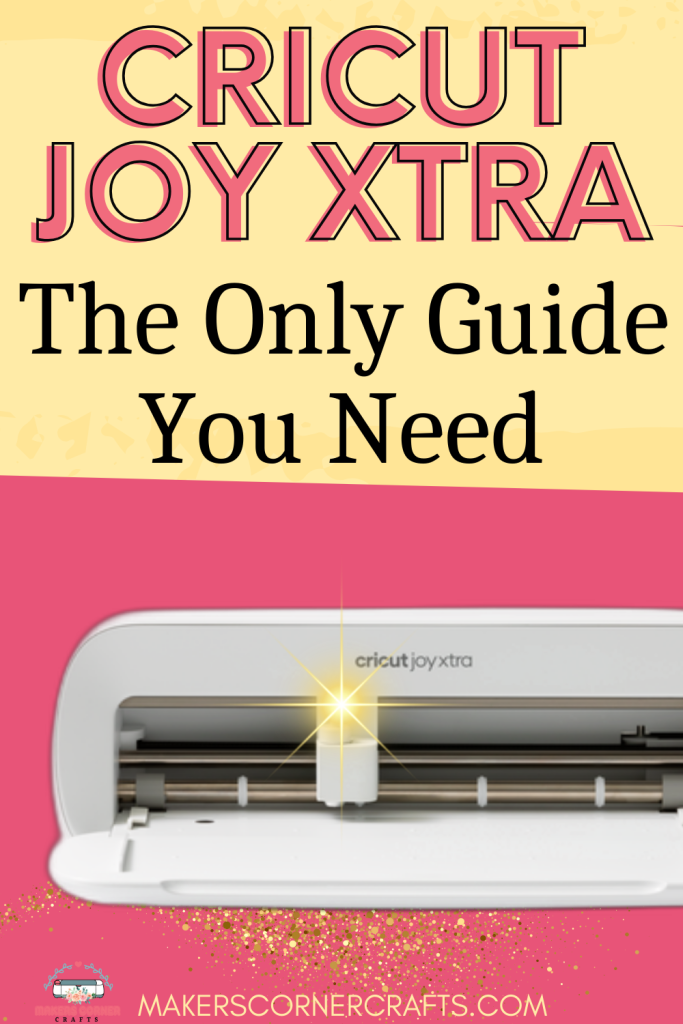
The Cricut Joy Xtra is Cricut’s latest electronic cutting machine. It is compact, easy to use, and fun. It supports Print Then Cut for stickers and has an increased cutting area, but still fits nicely on a desk. It has new materials and tools made just for it.
How Much Does It Cost?
As of December 2023, the Cricut Joy Xtra cutting machine is $199. It is also available in 2 bundles on Cricut.com:
- Cricut Joy Xtra™ + Everything Bundle + Cricut Access™ Subscription
- Cricut Joy Xtra™ + Everything Bundle
How Big is the Cricut Joy Xtra?
The Cricut Joy Xtra is just a little bigger than the Cricut Joy at 12.5 in x 6 in x 5.5 in and it weighs about 6 pounds. It is lightweight, compact, and portable and works well in cramped spaces.
What are the Features and Specifications?
The Cricut Joy Xtra has an increased cutting area over the Cricut Joy. Depending on the materials used, the cutting machine can cut with and without a mat. Its cut speed is 5.65 inches per second.
When cutting with Cricut Joy Xtra Smart Materials, the cut area is 8.5″ x 48″ long for a single design. However, it can cut up to 20 feet long for repeated designs. When using a cutting mat, the cutting area is 8.25″ wide by 11.75″ long.
What’s super exciting is the support for Print Then Cut. Now, Cricut has a compact machine that can make stickers!
What Can I make with Cricut Joy Xtra?
The Cricut Joy Xtra is a versatile machine. You can make custom cards, Cutaway, Insert, and Foil cards of all sizes, stickers, labels, t-shirt designs, and more. It’s also great for scrapbooking and detail cutting.
Which Tools Does It Use?
The Cricut Joy Xtra cutting machine shares the Joy Blade with the Cricut Joy. It also shares the same pens and markers, and Foil Transfer Kit, so if you’re upgrading from the Cricut Joy, you can use those with your new cutting machine.
It does not support other Cricut blades and QuickSwap tools like the knife blade, rotary blade, perforation blade, wavy blade, etc.
Cricut Joy Xtra has a LightGrip cutting mat and a StandardGrip cutting mat sized explicitly for it, which are 8.5 inches by 12 inches. They have a maximum cutting size of 8.25″ wide by 11.75″ long when cutting on the mat.
Cricut Joy Xtra also has a card mat that supports all Cricut Cutaway, Insert, and Foil card sizes (including R40 and S40).
What Materials Does It Support?
The Cricut Joy Xtra cutting machine can cut over 50+ materials, including vinyl, HTV/Iron-on, cardstock, printable vinyl, heat transfer paper, and Smart Materials. In addition, Cricut has released new Smart Materials sized just for the Cricut Extra for matless cutting. And the Cricut Joy Xtra now supports all Cricut card sizes for Insert, Cutaway, and Foil cards due to the increased cut area.
New materials for the Cricut Joy Xtra:
- Printable Waterproof Sticker Set
- Printable Waterproof Holographic Sticker Set
- Printable Iron-On for Dark Fabrics
- Printable Iron-On for Light Fabrics
- Cricut Joy Xtra Transfer Tape
- Cricut Joy Xtra Smart Vinyl, Permanent
- Cricut Joy Xtra Smart Vinyl, Removable
- Cricut Joy Xtra Prismatic Glitter Vinyl
- Cricut Joy Xtra Smart Iron-On
- Cricut Joy Xtra Smart Label Permanent Paper
See all materials the Cricut Joy Xtra can cut on Cricut’s website.
What Comes In The Box?
The Cricut Joy Xtra comes with several things you need to get started. It does not come with any mats or materials, however, except for a test cut. You’ll want to either purchase a bundle to get the accessories and materials or purchase each separately.
In the Box:
- Cricut Joy Xtra Machine
- Cricut Joy Blade
- Cricut Joy Fine Point Pen
- Cricut Mini Weeder
- Welcome card
- Power adapter
- Free trial subscription to Cricut Access™ (for new subscribers)
- 50 free, pre-designed projects in the companion app
- Materials for a practice cut
If you’re new to Cricut, you may also want to subscribe to Cricut Access for its designs, fonts, projects, and special functionality. Cricut also has a free trial for Cricut Access for new subscribers. If you need clarification on whether you need Cricut Access, read my post on Cricut Access Subscription: Do You Need It.
What is the Difference Between Cricut Joy and Cricut Joy Xtra?
The significant differences between the Cricut Joy Xtra and the Cricut Joy are twofold. Cricut Joy Xtra supports Print Then Cut, which means it can make stickers. Cricut has included an optical sensor to read registration marks on the Joy Xtra.
The second difference is the size of the cut area. Cricut Joy Xtra can cut materials 8.5″ wide and 48″ long for a single design or up to 20 feet long for repeated cuts. The Cricut Joy can cut materials 4.5″ in width and up to 48″ long for a single design.
Cricut Joy cutting machine uses materials explicitly sized for its cutting area. The Cricut Joy Xtra also has materials sized just for its cutting area.
Cricut Joy does not support all of the Cricut card sizes. Cricut Joy Xtra can cut all Cricut Insert, Cutaway, and Foil Card sizes, including R40 and S40.
The most exciting difference is that Cricut Joy Xtra now supports Print Then Cut for stickers. The Cricut Joy doesn’t have this feature; only the Explore and Maker Series machines used to.
What Application Does the Cricut Joy Xtra Use?
Cricut Joy Xtra uses the full Cricut Design Space app, which is available for desktop and mobile. The Cricut Joy App doesn’t work with the Cricut Joy Xtra, which has been retired (November 2023).
Pros and Cons of Cricut Joy Xtra
Pros
- Compact Design
- Portable
- Supports Print Then Cut
- Larger Cutting Area than Cricut Joy
- Easy to Learn
- Mature software
- Amazing customer support
- Excellent price point
- Uses Bluetooth to communicate
Cons
- Limited cutting area size compared to Explore and Maker Series
- Needs special cutting mats and materials
- Printer must be Inkjet
- Doesn’t cut thicker materials like the Maker Series does
- Doesn’t support other Cricut Blades and Quickswap Tools
- No USB Cable
- Requires Bluetooth
Is Cricut Joy Xtra Worth It?
The Cricut Joy Xtra is the best machine for limited space. It’s a great beginner machine. I would choose the Cricut Joy Xtra over the Cricut Joy specifically because it supports Print Then Cut. Its entry price is excellent for those dabbling or starting with electronic die cutting.
Is Cricut Joy Xtra Right for You?
Cricut Joy Xtra is perfect for users with limited space who want extended functionality. It’s made for crafters who like to make stickers, labels, cards, and the occasional t-shirt. It’s not made for bulk cutting or commercial purposes. If you’re looking for portability, Joy Xtra is a good choice.
If you need more clarification, Cricut has a quiz to help you determine which cutting machine is best for what you want to create.
What Resources Are Available?
Cricut provides a comprehensive resource library of videos and tutorials for its cutting machines and Cricut Design Space. Additionally, Cricut Learn has user guides, live workshops, tutorials, and more. All you need is a login to Cricut to access Cricut Learn.
Where Can I Buy Cricut Joy Xtra?
Purchase Cricut Joy Xtra online or at retail craft stores. You can also support Makers Corner Crafts and purchase online at Amazon or Cricut.com using the links below at no additional cost.

Our fits-in-any-space, looks-good-anywhere smart cutting machine. Cricut Joy Xtra™ cuts, writes, draws, and foils to make popular projects like full-color stickers, custom cards, T-shirts, vinyl decals & more. Works with free Design Space app.
Which Bundles Are Available?
There are two bundle deals for the Cricut Joy Xtra available on Cricut.com. If you are new to Cricut, I recommend getting the Cricut Joy Xtra Materials Bundle + Cricut Access (1 month free). It’s an excellent deal when it’s on sale, which happens several times throughout the year. There is a bundle that only includes the Cricut Joy Xtra Cutting Machine and a selection of materials if you already have Cricut Access.

Skip the extra trips to the store and make more with this must-have bundle. Cricut Joy Xtra is our fits-in-any-space smart cutting machine for popular projects like full-color stickers, custom cards, T-shirts & so much more. Bundle includes the machine, materials, tools, and a monthly subscription to Cricut Access (first month included, auto-renews thereafter).*
Frequently Asked Questions
Can I cut my own designs with Cricut Joy Xtra?
Using Cricut Design Space, You can cut your designs with the Cricut Joy Xtra. You can also import designs into Cricut Design Space for cutting. Read my post on how to upload SVGs into Cricut Design Space.
Does Cricut Joy Xtra require a subscription?
Cricut Joy Xtra does not require a subscription. It comes with 50 free designs/projects out of the box. However, Cricut Access includes hundreds of thousands of designs, projects, and special functionality in Cricut Design Space. If you are new to Cricut and need access to designs and more, a Cricut Access Subscription is recommended. Cricut has a 30-day Free Trial of Cricut Access if you are on the fence.
Can I use my Cricut Joy Xtra without WIFI?
You will need internet access initially to set up the Cricut Joy Xtra cutting machine. If you plan on using Cricut Access, you will also need internet access to use the designs and projects. You can work offline in Cricut Design Space for iPhone. Cricut Design Space for Android requires an internet connection.
I don’t have Bluetooth on my computer. Can I use a USB cable?
Cricut Joy Xtra uses Bluetooth to communicate with Cricut Design Space on your computer. You will need to get a Bluetooth adapter, as there is no USB cable support if Bluetooth is not available on your computer.
Do You Need a Cutting Mat for Cricut Joy Xtra?
You don’t need a mat when cutting Cricut Smart Materials explicitly sized for the Cricut Joy Xtra. Use a mat when cutting non-Smart materials like cardstock, paper, vinyl, and HTV scraps.
Can I use regular vinyl with Cricut Joy Xtra?
You can use regular vinyl and regular heat transfer vinyl with the Cricut Joy Xtra. You will need a Cricut Joy Xtra mat to cut these materials.
Conclusion
The Cricut Joy Xtra cutting machine is an excellent machine with a compact design. For light crafting and vinyl cutting, it’s the perfect solution for the occasional crafter with limited space. Get started crafting with the best compact electronic cutting machine for beginners and light crafters. As always, if you have any questions, please comment below. I love to hear from you!
Happy, happy crafting!
Sources:
- Cricut.com Joy Xtra Materials list
- Cricut.com Joy Xtra Features and Specifications
- Cricut.com Joy Xtra What’s in the Box
- Cricut.com Joy Xtra Video Tutorials
Other Posts to Read on Makers Corner Crafts
- The Best Cricut For Beginners
- The Guide to Cricut Cutting Mats
- The Best Cricut Tools for Beginners
- The Guide to All Cricut Blades
Please pin this post if it was helpful for you so others can find it too!



Leave a Reply