
Are you a beginner to sublimation and not sure where to start or what you need? Curious about it and wonder what it’s all about? Great! In this Beginner’s Guide to Sublimation, I’m going talk about what sublimation is, what you’ll need and answer often-asked questions.
This is not a paid or sponsored post. Maker’s Corner Crafts is reader-supported. If you make a purchase through one of my links, I earn a small commission at no additional cost to you. I appreciate your support! As an Amazon Associate, I earn from qualifying purchases. Learn more here.
- What is Sublimation?
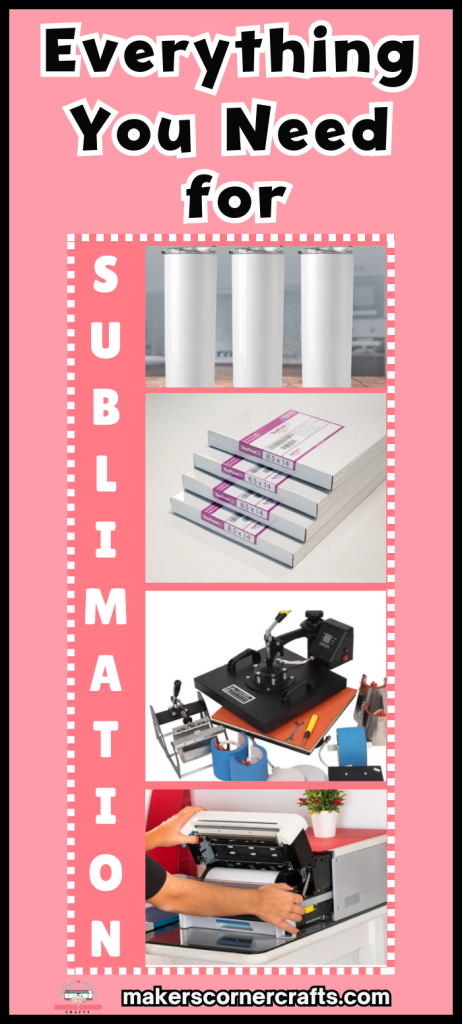
- Sublimation Supplies You Will Need
- What can I sublimate on?
- Sublimation Printers
- What kind of paper do I need for my Sublimation Printer?
- What is the best program to use for Sublimation Printing?
- How to Print Sublimation Images
- Cricut EasyPress, Cricut Mug Press, Heat Press and others
- Basics of Sublimation on Mug, Tumbler, T-shirt, etc.
- FAQs
What is Sublimation?
Sublimation is a process that uses heat to infuse ink into fabrics and sublimation blanks. This produces stunning results that last longer than heat transfer vinyl. Applying sublimation is considerably easier than applying HTV.
Sublimation works by applying a special coating to the outside of a blank. This coating is called a substrate. It is applied to blanks such as coasters, mugs, and tumblers. Special paper is used to transfer images to the substrate on the blank. Some fabrics can be sublimated as well. The ink infuses into the fabrics, and it feels as if nothing is there, as it has become one with the fabric. This is what happens when polyester t-shirts are sublimated.
Sublimation Supplies You Will Need
Large Items
For sellers
- Sublimation printer for printing the design with sublimation ink
- Cricut or Silhouette or other cutting machine (opt) to cut the excess around the design
- Heat press to press the design to the substrate/blank
- Toaster oven for mugs and tumblers
- Adobe Illustrator, Inkscape, Silhouette Studio or Cricut Design Space as design software
For Craft Hobbyists
- Converted sublimation printer for printing the design with sublimation ink
- Cricut or Silhouette cutting machine (opt) to cut the excess around the design
- Cricut EasyPress to press the design to the substrate/blank
- Cricut Mug Press for mugs and tumblers
Small items (for both)
- Shrink wrap or silicone mug wrap (for mugs and tumblers)
- Disposable gloves for handling blanks after they have been cleaned
- Lint rollers to remove all fibers from the blank
- Sublimation blanks
- Teflon sheets to distribute heat evenly when pressing
- Butcher paper to catch wayward ink as the ink sublimates
- Butcher paper holder (optional)
- Heat resistant gloves (if using toaster oven)
- Tongs with silicone tips (if using toaster oven)
- Heat Resistant Tape to hold design to blank
- TexPrint DT XP Light or A-Sub Sublimation paper to print the design onto
- Sublimation ink for printing of the design
What can I sublimate on?

Sublimation Blanks
A sublimation blank is an object with a sublimation substrate coated on the outside or an item of a certain type of fabric. Some examples of fabrics are polyester shirts, spandex leggings, and coated canvas tote bags. Other examples of coated materials are coasters, mugs, acrylic keychains, and tumblers.
Hard Sublimation blanks
There are a ton of different types of sublimation blanks. Retailers I recommend are Condé, Heattransferwarehouse.com, Heatpressnation.com, JPPlus.com (Johnson Plastics Plus) and Jiffy Shirts. when you’re looking outside of Amazon, which doesn’t carry the best quality of sublimation blanks. Unless you’re exclusively printing on fabric, you’ll want to look at what’s available, as you’ll need some of these.
Fabric Sublimation Blanks
For other sublimation blanks, such as t-shirts, you will need to buy as close to 100% polyester as possible. Some say to go with 65% or better, but you will still not get a great sublimation with 65%. Unfortunately, most poly blend shirts are going to be in that range. The next best bet is usually to go with 100% polyester. If you can find a blend with about 80% blend, that’s great.
You can sublimate on other fabrics as well, such as nylon, rayon, and spandex, but I haven’t worked with these fabrics yet. Polyester, and other fabrics, are required for the sublimation ink to infuse into the fabric. Otherwise, the dye will appear washed out. Sometimes people do this on purpose, and it looks fantastic as a faded look. However, most times, it looks like an accident.
The most popular polyester shirts are made by Bella + Canvas. They make a version called All Sport that is 100% polyester. I haven’t been able to find it lately, and their website now only shows a 50/50 cotton-poly blend shirt. I’m hoping that they replace the 100% poly or resupply it. Take a look around the web, though. There are so many t-shirt suppliers out there! Bella + Canvas makes great cotton shirts for HTV, so if they’ve removed their 100% polyester shirt option entirely, it’s still a great choice for HTV or cotton fabric sublimation.
The one I use and is also recommended is the Gildan brand called the Gildan Performance. They have Big and Tall sizes, which I like because I have people of all sizes in my family. You can also find the Gildan Men’s Moisture Wicking, which is a good choice. It’s also 100% polyester. Gildan fits the bill for everyone.
Both brands can be found at many online and local retailers, including Amazon, Michaels, Joann, and Hobby Lobby. If you are looking for bulk quantities, you might look at online retailers other than Amazon first before turning there.
Cricut makes great fabric and hard sublimation blanks as well. I believe they are well-priced. I have tried the baby bodysuits, the sublimation mugs, and some of the hard substrates, which work very well. Others have been very pleased with the shirts but say they run small. Check out Cricut’s selection. I think you will be pleased.
Sublimation Printers
Like regular inkjet printers, sublimation printers come in different models and sizes. You can purchase a sublimation printer, such as the Sawgrass SG500, or you can convert an Epson Ecotank printer, for example. These two solutions seem to be what most do in the hobbyist to small business industries.
Epson EcoTank Printers
I have an Epson EcoTank printer, which is the printer of choice for crafters and small businesses alike who don’t want to pay for a sublimation printout right out of the gate. Any of the EcoTank printers will work. The choice comes down to paper sizing and the features you want. I chose the 3760 because it allows for 12″ paper, handles cardstock and other thick materials, and has a rear input.
The EcoTank printers are cost-effective, and you can find good sublimation ink on Amazon. I use
If you’d like instructions on how to convert an Epson printer or just want to see how it works, Angie Holden of the Country Chic Cottage has put together some great instructions on conversion. I found the conversion process for the EcoTank printer quite simple. There are some other great video tutorials out there. Just google for them and give them a watch!
Sawgrass Sublimation Printers
Sawgrass printers are specifically sublimation printers. They have some of the lowest-priced professional printers on the market but have great quality. The sublimation printers come with software, a design studio application, ink, and support. The Sawgrass SG500 is its entry-level printer and it’s affordable around $500-$550 depending on sales. A small business can earn this back in no time!
What kind of paper do I need for my Sublimation Printer?
There are two types of sublimation paper: one for light-colored material and one for dark-colored material. The latter is a bit misleading as a sublimation paper, and I’ll explain how.

Light Material Sublimation Paper
Light sublimation paper is used to print images onto white or very light-colored fabrics and blanks. This works beautifully for white t-shirts as they absorb the colors of the dye well. The dye colors will only take on the hue of the lighter colors and will only look odd if they are too dark or too “off”. For example, if pink is sublimated onto a medium gray, the pink will look washed out with a gray base, as it will sublimate directly into the gray fabric. I use TexPrint DTXP Light sublimation paper, as it’s just a little bit better than A-sub. If you have trouble getting TexPrint, or like the ease of buying from Amazon, the A-Sub sublimation paper is also really good.
Dark Material Transfer Paper
Dark fabric, however, is different. If the light material sublimation paper were used on dark-colored material, the colors would take on the hue of that shade because the sublimation ink is infused into the fabric. If pink is sublimated into a black t-shirt, it will hardly be visible at all, as the black fabric will absorb the color of the dye. There is a solution to this issue, however.
Use heat transfer paper to keep the dye from infusing into the dark materials. StarCraft is a great brand but is frequently out of stock. Try HTVRONT Heat Transfer Paper for Dark T-Shirts instead, as it rarely goes out of stock.
Heat Transfer paper uses inkjet ink to transfer graphics as opposed to sublimation ink. You will use it in your inkjet printer, not your sublimation or converted sublimation printer. Siser EasySubli uses sublimation ink, so it must be printed on a sublimation printer.
In order to transfer the image to your sublimation blank, you will most likely need heat-resistant transfer mask sheets. Siser has its own mask, and it’s recommended. (By the way, both of these brands can also be used on cotton fabric as well.)

What is the best program to use for Sublimation Printing?
Deciding on a graphics application may come down to 2 things:
- Cost
- Complexity
Cost
There are potentially 4 programs/applications available: Cricut Design Space, Silhouette Studio, Adobe Illustrator, and Inkscape. There are other applications, but these are the main ones discussed around the water cooler.
Cricut Design Space and Inkscape are free, while Silhouette Studio and Illustrator are not. Silhouette Studio has several versions at different price points, but to work with SVGs, you must purchase the Designer level, which is the 2nd level. Adobe Illustrator is much more expensive. If you are a business, we recommend Adobe Illustrator, which can serve you on many levels, not just with sublimation graphics. If you own a Silhouette, you will be purchasing Silhouette Studio, most likely anyway. If you plan on only doing occasional sublimation and have a Cricut, you might want to stay with Cricut Design Space for now based on cost.
Complexity
Adobe Illustrator and Inkscape are the most complex of the four applications. Silhouette Studio is the second most complex, while Cricut Design Space is the least. If you’re looking for a compromise between Adobe Illustrator and Cricut Design Space and don’t mind the cost, opt for Silhouette Studio. It provides more robust features, and you can Print and Cut up to the size of your cutter allowance, whereas Design Space only allows 6.75” x 9.25” and is limited in functionality. You can always use Inkscape (comparable to Illustrator) for free, but the learning curve is high.
How to Print Sublimation Images
Printing sublimation from Cricut Design Space
Printing sublimation graphics on a sublimation printer is as easy as printing on any other printer. You are just printing directly to the sublimation printer instead.
When using Cricut Design Space, you will print to your sublimation printer just as you would print to your regular printer during Print Then Cut. Make sure that you have the sublimation paper loaded in your printer the correct way. It is important to select “Use System Dialog” under “Add Bleed” in the Print Setup dialog box when you are “Making It” so that you can select the proper printing profile you set up for the print for EcoTank and Sawgrass printers. Angie Holden of The Country Chic Cottage has a great video on how and why to create printing profiles for sublimation printing. I highly recommend checking it out.
Printing sublimation from Adobe Illustrator and others
When printing from Adobe Illustrator, you can print large graphics that will fill up your entire sublimation printing space. Silhouette Studio allows you to print to the allowance of your cutting machine, and Cricut Design Space is hard set to 6.75” x 9.25”. Print as you normally would, and select your sublimation printer. Print using the ICC profile you created specifically for sublimation.
Cricut EasyPress, Cricut Mug Press, Heat Press and others


The heat press and the Cricut EasyPress are great options for sublimation heat elements. Consider both when finding the best one for your needs, even if you are a craft hobbyist. Optionally, some good off-brand small heat presses (alternatives to the EasyPress) are available if you’re looking for a lower-cost solution. I have a heat press and a Cricut EasyPress, but I also run a small business. I use the EasyPress for small transfers and small items (such as socks) and my heat press for larger transfers.
I use my heat press when pressure is important, as the EasyPress requires that I provide even pressure accurately, and my heat press can do that without fail. Don’t forget to consider the Cricut EasyPress off-brands as well. They may serve you well in the interim until you are ready to plunge into an EasyPress or a full heat press.
Cricut EasyPress 2 & EasyPress 3
The Cricut EasyPress 2 and EasyPress 3 are small, portable presses that can reach 400 degrees Fahrenheit. It comes in different sizes: 9”x9”, 12”x10” and in EasyPress mini. The larger sizes are great for regular HTV and sublimation transfers on fabric, wood, metal, and more. The mini is great for small items like shoes and stuffed animals.
You can also purchase a heat-resistant mat to help keep your work surface protected. If you don’t want to purchase a mat, you can make your own pressing pillows to use in your heat press and with your easy press.
Heat Press
The heat press is the traditional way to apply transfers to your HTV and sublimation blanks. There are a variety of different heat presses on the market, each with their own strengths and weaknesses. If you are a beginner or small business looking to purchase your first heat press, you might look for an inexpensive heat press before spending a lot of money on a higher-end one. I use an inexpensive heat press I purchased from Amazon, and it does a great job. If you know that you will be doing a great deal of sublimation in your business, you may want to opt for a higher-end one out of the gate.
When looking for a heat press, check out the temperature accuracy. This is critical to getting a good press. Most of the inexpensive presses come with a manual pressure handle, but if you have issues with arthritis or have difficulty closing large items, you may want to look for an automatic pressure heat press. If you are new to heat presses, take a look at how much support is offered as well.
Update October 2022:
Cricut released its AutoPress in May 2022 to great fanfare. It’s a great choice if you plan on running a small business selling objects that are heat-pressed. Additionally, HTVRont has released its own affordable heat press.
Cricut Mug Press
A Cricut Mug Press is a great way to sublimate an image onto a ceramic mug. It’s easy to use, and the results are fantastic. It is designed to sublimate 11 oz. and 15 oz. straight mugs. The Mug Press makes the process very simple. Grab some heat tape and butcher paper, follow the easy directions, and when it’s done, you have a beautiful mug! The downside is that you can only do 1 mug per Mug Press at a time. So if you are a small business, consider getting a convection oven instead to do multiples at a time. See The Best Convection Ovens for Sublimation to learn more.
Convection Toaster Oven
If you have tumblers or tapered mugs that you want to sublimate or do multiples of at one time, you’ll need to move to a convection oven or convection toaster oven. You’ll need to purchase a convection oven or toaster oven separate from the oven you use to prepare food due to the off-gassing from the sublimation dye.
You will also need a silicone sleeve or shrink wrap when using any type of convection oven for sublimation. You can buy one from Amazon, but they do not last very long. If you plan on sublimating a lot of tumblers and mugs in a convection oven, I suggest Hix Mug Wraps. They are high quality and will last for at least 300 sublimations, whereas the ones from Amazon may last only 30, making it well worth its price.
You will also want proper ventilation. In our experience, it is no little amount of gassing. It literally pushed me out of a quarter of my house! (To be fair, I’m a little sensitive to this kind of stuff.) If you can place your toaster oven in the garage or several open windows with great ventilation, we highly recommend it. Also, don’t forget to buy a fire extinguisher that is rated for oven fires, and keep it close by. We’re big fans of fire safety!
See The Best Convection Ovens for Sublimation to learn more.
Other Heat Element Products You Will Need
Regardless of purchasing an EasyPress 2 or a heat press, you will need Teflon sheets, blowout paper (butcher paper or copy paper for small transfers), oven tongs with silicone tips, lint rollers, and disposable gloves.
The blowout paper will collect any dye “blown” out of the transfer so it doesn’t stain anything around it, including you, your Teflon sheets which can be pricey, your table, or anything else around you. The Teflon sheets help with heat distribution and prevent sticking. They also help prevent that white round or square “white box” that you sometimes get with heat transfer vinyl transfers and sublimation transfers (along with cutting). It’s a must to use with a heat press, but I use it with my EasyPress 2 every time as well.
The tongs are almost indispensable to me. I use them to remove my mugs and tumblers from my convection oven, as they are super hot when they are done. I also set them on a raised cookie cooling rack to give them cooling space underneath as well. You will need the lint roller because the dye from any lint on the fabric you will be sublimating onto may sublimate into the shirt.
Basics of Sublimation on Mug, Tumbler, T-shirt, etc.
Applying an image to a sublimation blank isn’t difficult but has a few additional steps. The first step is to Print Then Cut, as explained above. Make sure to check the directions of your paper on mirroring; dark materials heat transfer paper typically is not mirrored, while TexPrint DTXP sublimation paper (for example) is mirrored.
Next, we’ll want to press the image onto our sublimation blank. If using the Cricut EasyPress, follow Cricut’s directions.
If you’re using a heat press, check out the directions and set the time and temperature the same on your heat press. Follow the directions but use your heat press instead of the EasyPress unless otherwise specified.
If you are using a different sublimation paper brand, look at the package or go online to the manufacturer’s site or a trusted retail site and get the temperature, time, and pressure settings. This is very important. Be it HTV or Sublimation, getting the correct settings is imperative to a good press. Use those settings with your EasyPress or Heat Press to get a good press.
FAQs
Is Cricut Infusible Ink the same as sublimation?
They are not fundamentally different. Cricut Infusible Ink Sheets are printed with sublimation ink already on them. This means that you can cut a graphic from the ink design and directly transfer it onto your fabric or sublimation blank. The upside is that you don’t have to have a sublimation printer; the paper already has sublimation ink on it. The downside is that your image is limited to the color(s) of the ink sheet.
Which program should I use to make my designs?
You can use whichever graphics program you are comfortable with. Silhouette Studio is a comfortable middle choice between Cricut Design Space and Adobe Illustrator. You have more features than the latter, but it is not nearly as complex as the former. You can also buy an inexpensive copy of Silhouette Studio and use it without having a Silhouette cutting machine.
The caveat that may preclude you from using Cricut Design Space is the size limitation of Print Then Cut, which is 6.75” x 9.25”. See “What is the Best Program To Use for Sublimation Printing” above.
How do I print large sublimation images on Cricut?
You can’t do multiple sublimations on a fabric or substrate; at the very least, it will remove some of the dye. The best way to do this is to sublimate in sections or print the transfer on a large printer. For most of us, the former is the one we have the most access to. It can be complicated, and typically you will need to design for a bit of overlap. If you don’t, there will typically be a line. You will also most likely need to use a different graphics program than Cricut Design Space if you are using that due to the overlapping requirements. We recommend watching videos on sublimating in sections and reading up on it before attempting sections.
Can I do sublimation with my Cricut?
Yes. You can use Print Then Cut for sublimation, just as you would use it for stickers and decals. Check out my How to Make Print Then Cut Stickers post. Create your decal using the same directions but substitute sublimation paper, your sublimation printer, and your decal for the stickers.
Can you use Cricut EasyPress for Sublimation?
Yes, you can use the EasyPress 2 and 3. The AutoPress will also accommodate sublimation.
Can I use Cricut mugs for sublimation (and other Cricut blanks)?
You can use the Cricut accessory blanks that are made for sublimation. This means they are specially coated so that the sublimation ink will take. The coating is called a substrate. All blanks you use for sublimating must state that they are for sublimation, as they will have the substrate coating. For fabrics, you will need a minimum of 65% polyester. I recommend at least 80%. The lower the polyester count, the more faded the transfer will look.
Can I sublimate on Cricut vinyl (or any heat transfer vinyl)?
At least on Siser EasyWeed holographic, you can. Before easy, dark material solutions, there was sublimation onto holographic heat transfer vinyl. Angie Holden of Country Chic Cottage has a fantastic post on sublimation on HTV.
Can I sublimate on cotton?
Use StarCraft Heat Transfer for Dark Materials, HTVRONT Heat Transfer Paper for Dark Fabrics, or Siser EasySubli to sublimate onto cotton. Sublimation ink won’t infuse with cotton. Or try one of the solutions found on Angie Holden’s link above.
Can I sublimate on Dollar Tree items?
Only if they have sublimation substrate on them or if they are a high percentage polyester fabric. Otherwise, stick to buying sublimation blanks that are specified as such.
Sublimation may sound complicated and seem like it has a lot of components. But once you have what you need and do it a few times, you will find it’s quite simple and much faster than doing heat transfer vinyl applications. Additionally, the designs last longer and can be absolutely dazzling!
If you want to start a small business, sublimation is a great area to be in because there are so many popular products to sell. Although there are initial costs, it is less expensive to print and infuse sublimation than to print and adhere heat transfer and adhesive vinyl. With a little know-how and the right supplies, you can create beautiful sublimations for family, friends, and customers in no time!
If you have a question or want me to include something, please be sure to comment. I love hearing from you!
Happy, happy crafting!
Sources
Source: https://www.gartexindia.com/3-types-of-fabric-you-should-know-about-for-dye-sublimation/
If you enjoyed this article, please pin it so others can enjoy it too!



Leave a Reply